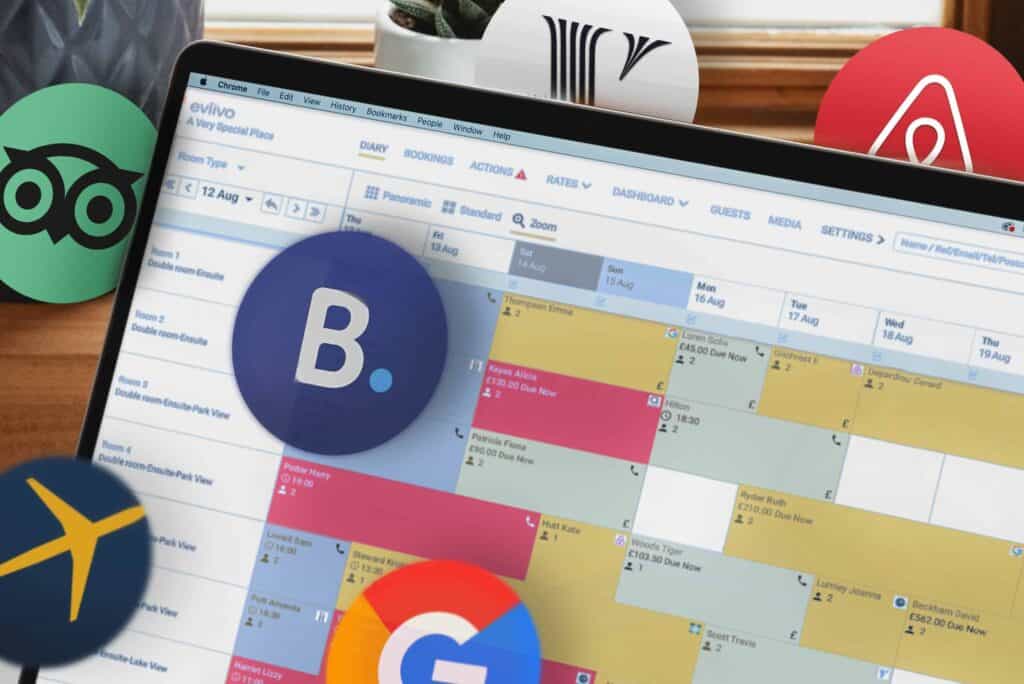
So you’ve decided to switch your property management system (PMS). Hopefully it won’t be long before you’re enjoying smoother operations, boosted bookings and increased revenues.
But before you can start making the most of your new system, there’s one final hurdle to clear: onboarding.
Forget the memories of drawn-out on-site installations and disrupted daily operations. Today’s cloud-based platforms mean that the bulk of the onboarding process can be completed online, so you’ll hit the ground running fast … as long as you’re with the right provider.
eviivo Suite™ offers a rapid online onboarding flow refined through feedback from countless accommodation operators, with industry-leading tools that make setup fast and frictionless.
Don’t believe us? Here are some of the ways we make onboarding with eviivo painless. Check whether any other provider you’re considering rivals this level of convenience.
Instant import of existing Booking.com and Airbnb listings
One of the first things you’ll see when you begin the online onboarding process with eviivo is a prompt asking whether you are “Already listed on Booking.com or Airbnb?”
We know the majority of new customers will be migrating existing units into eviivo’s system. To accelerate setup, eviivo’s deep integrations with Booking.com and Airbnb allow you to auto-import your existing listings, meaning you can transfer data over effortlessly.
By importing data such as descriptions, photos, policies and existing bookings from your listings into eviivo Suite, you populate key fields required during the onboarding flow instantly. It’s a significant time-saver from the very start.
Step-by-step guided setup
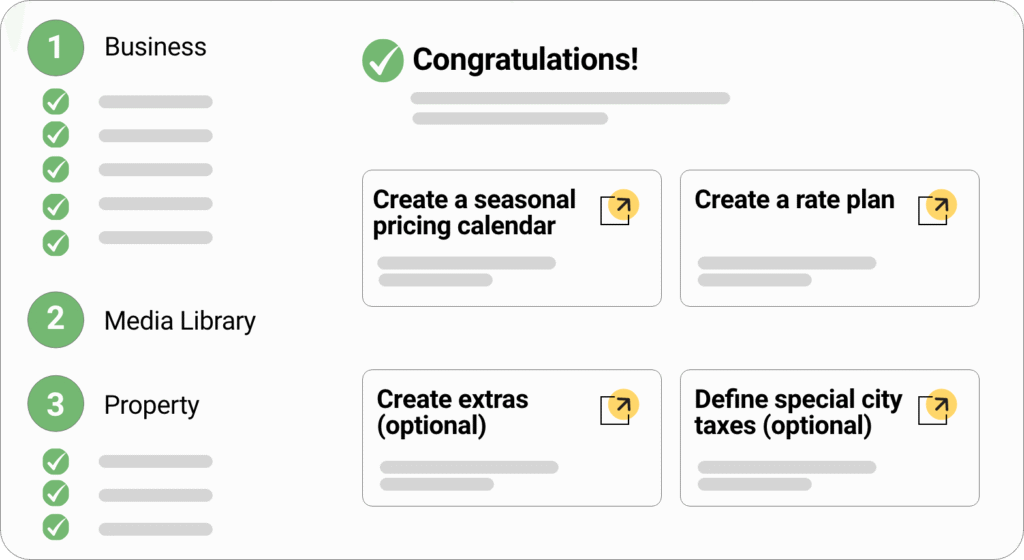
Setup with eviivo is broken down into clear steps. The left-hand column in the onboarding screen shows exactly which tasks you need to complete, in what order, while visually tracking your progress as you go. As a result, you’re less likely to feel overwhelmed or disoriented at any point.
Instead, by navigating through the on-screen sections, you’ll soon load the core data needed to configure your business details, media library, property information, accommodation setup, policies, and general terms.
Many of these steps come with on-screen tips that provide clear guidance. For example, the guidance box for populating booking terms and conditions comes with sample terms you can use for inspiration. For an extra level of assistance, you’re also able to access live chat support from a real human seven days a week via the on-screen chat box.
Once you’ve completed all the steps on the left-hand column, you’ll have access to eviivo Suite. At this point, on-screen text encourages you to:
- Set up a seasonal pricing calendar so you start optimizing revenue quickly
- Create one or more rate plans for different seasons and special events
- Customize booking confirmations and other key guest communications, so you’re speaking to guests in your words from day one
For each of the above tasks, you can access a simple ‘how to’ video that guides you through the process. No matter where you are with your onboarding, you always have multiple layers of support.
AI Prompter to improve descriptions
Producing accurate, appealing descriptions of your accommodation isn’t easy, especially when you’re balancing other onboarding requirements. Thankfully, eviivo Suite simplifies this process through its AI Prompter.
Here’s how it works. Enter the key points you want the description to cover. Click the “Improve with eviivo AI” button. That’s it. The AI instantly generates a description that’s designed to convert, complete with error-free spelling and grammar. You’re welcome to edit the provided option or request an alternative AI description.
This tool is available for both short and long property descriptions, with icons accompanying the text box showing you which channels will display the description. eviivo’s leading OTA connectivity means that we can get you connected to major distribution channels as part of the onboarding process – another major time saver for hospitality businesses!
AI Translator to go global
Ensuring your online listings are multilingual is essential to expanding your accommodation’s global reach. Yet translating your listings manually is another time-consuming, error-prone process that can slow down setup.
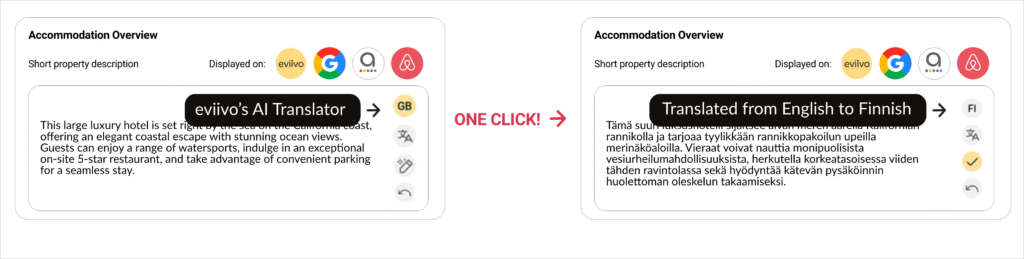
eviivo’s AI Translator lets you convert your descriptions into a series of other languages with a single click during onboarding – including French, Spanish, German, Italian, Portuguese, and more.
This saves valuable time and eliminates the human error that can come with manual translations, while opening up your accommodation to guests from around the world.
Bulk management features for multi-property groups
If you don’t have existing listings to import and are effectively starting from scratch with your onboarding, eviivo is still equipped to help you streamline the process. That’s because powerful cloning and bulk copy tools allow you to replicate common configurations across properties.
This is especially beneficial if you’re onboarding a group consisting of multiple similar properties. Extensive ‘Copy to/Copy from’ functionality means fields can be populated with data from completed properties in the same group, substantially speeding up the process of onboarding your entire portfolio. Examples of data that can be copied include:
- Descriptions
- Services
- Terms
- House rules
- Privacy policies
Once copied, you can tweak the data to account for any individual differences across properties. You can also bulk categorize and edit photos in a series.
If you are onboarding a group, each of your properties will also be displayed via a list view that gives you immediate visibility of their individual onboarding status. This makes it easier to identify where each property is at in the onboarding process.
Before switching your PMS, it’s vital to research what migrating your core technology solution will look like. eviivo’s online onboarding flow offers step-by-step guidance, auto-import and AI-powered tools, and bulk management features unrivaled by other providers – making onboarding a smoother, more streamlined and less stressful experience.
Want to learn more about onboarding with eviivo? We’d be happy to answer any questions you have. Schedule a demo with one of our consultants today.
FAQs
eviivo lets you onboard at your pace, whatever the size and complexity of your business. You can go live in a couple of hours, or spread the process over a few days if you prefer to take things more slowly.
If you’re importing existing listings from Booking.com or Airbnb, much of the core data is populated automatically, which significantly speeds up the process. Larger multi-property groups may take longer, but bulk tools and guided setup help keep timelines short and predictable.
Absolutely! eviivo’s free multilingual support team are available 7 days a week to support you via live chat to help you long after onboarding is complete.
Yes. eviivo’s onboarding process is designed to help you migrate while protecting existing reservations.
When our onboarding team connects your selected distribution channels, they import any existing bookings over – either directly (for Booking.com, Airbnb and Expedia bookings), or via a CSV file (for other OTAs and your direct bookings).
This process doesn’t take more than a couple of minutes, during which time we can closeout your availability to ensure that no reservations are processed.
This means you can transition to eviivo with confidence, without losing visibility of current or future bookings.
No. eviivo Suite is built for accommodation professionals, not developers.
The onboarding flow requires no coding, no APIs, and no technical configuration. Clear instructions, guided steps, and human support ensure you can get set up quickly, even if you’re switching PMS for the first time.
 Sie könnten auch interessiert sein an...