Discover ten top short-term rental automation tools to help you save time and run your vacation rentals more efficiently and profitably.
Short-term rental automation to the rescue
It’s the last week of the high season. You have:
- raced around for weeks to make sure every guest enjoyed their stay
- made sure all last-minute bookings are recorded and no payments have been missed
- coordinated your cleaning and maintenance team
- sent each guest their arrival information
- greeted each new arrival and filled them in on local landmarks
The list is long, and the time needed to do everything can seem endless!
The good news? All these tasks can be automated for you. Here are the top 10 short-term rental automation tools you should consider to save more of that most valuable asset, time – and help with the day-to-day operations of your short-term rental business.
1. Synchronizing booking calendars
The most crucial aspect of your business is managing your bookings – and that includes making sure you avoid costly overbookings. A channel manager helps you achieve this by instantly updating your availability on all the online travel agencies (OTAs) you use.
At a minimum, your availabilities must be synchronized via a channel manager and your reservations centralized in a single calendar; it’s a must if you want to eliminate pesky overbookings. However, there are hundreds of options in the market, so you’ll need some tips to choose the best channel manager for your needs.
Once you’ve chosen your channel manager, automating the synchronization of your booking calendars takes the hassle out of what used to be a stressful and time-consuming task.
2. Distribution
In addition to your booking calendar, you should be able to automate updates of all your photos, descriptions, rates, policies, promos, and offers across OTAs, simply by making changes in one interface.
There is nothing more confusing to a prospective guests than seeing mismatched pictures or descriptions on different listings and not being sure what you really offer. Consistency is key. Yet you also don’t want to spend hours updating the same content on each OTA, one by one.
Updating everything automatically saves time while making sure you display a consistent offering across your channels. This helps make your accommodation more recognizable and trustworthy to your audience over time.
3. Guest communication
To ensure that your guests receive all the information they need during their stay, you need to communicate with them frequently.
Setting up automatic guest messaging is essential throughout the entire customer life cycle: from the booking stage to during their stay and even post-departure. Because regular communication is increasingly expected by today traveler’s, getting it right helps you deliver a great guest experience and earn excellent reviews.
Automatic communications to put in place include:
- A clear and professional booking confirmation containing all relevant information (dates, room, terms and conditions, rate booked, amount paid, etc.).
- Prior to arrival, an email containing all the information needed to access your property and links to any pre-booked services you may offer. You can also ask your guests to complete an online check-in form that lets you collect all their contact details and speeds up their check-in.
- After check-in, an email with useful information about your property and local attractions.
- Before departure, an email to make sure they don’t forget anything.
- After departure, an email to encourage them to share their feedback.
You can also automate emails to cover all possible booking scenarios, including cancellation emails, payment emails and stay confirmations, as well as set up email marketing campaigns.
Email automation features are typically found in property management systems (PMS) or guest management software (CRM).
For the next level of convenience, consider implementing a self-learning AI chatbot on your website to address any visitor query 24/7. This tool can help move prospective bookers through the funnel, leaving you free to focus on engaging confirmed guests.

4. Promotions
Running promotions is a key part of your pricing strategy, as well as your customer loyalty program. Automating vacation rental promos helps you drive early bookings and encourage repeat guests more efficiently.
There are a number of effective ways to drive business through promos:
- Generating direct bookings with promotions that apply exclusively to rates on your website
- Encouraging longer stays by offering lower nightly rates based on length of stay
- Boosting customer loyalty with promo codes
- Generating demand and cash flow with offers on early bookings
With effective promotion and pricing software, you can automate a range of promo types automatically while retaining full control and flexibility. Simply choose which rate plans you wish to discount, select which channels should display your promotion, and set auto-expire dates so you don’t leave it running indefinitely!
5. Payments
When it comes to managing your payments, you better make sure that (1) you’re the one handling the money, (2) you don’t forget any payments, and (3) you avoid making mistakes.
Automating payment collection helps your short-term rental business achieve all three of these goals. It especially simplifies things if you manage a large number of rooms or multiple properties.
With the right short-term rental automation software, you gain the ability to automate a wide range of vacation rental payments:
- Deposits
- Validity checks
- Pre-authorizations
- Full prepayments
- Security deposits
- Balance collection
- Refunds
- Cancellation fee collection
The other critical element of your automated payment collection process is its security. Connecting a payment tool to your PMS allows you to safely reduce manual handling. Make sure to opt for a payment software provider that is secure, PCI certified, and compliant with PSD2 and all other local banking regulations.
Having a 3D Secure (3DS) payment process on your booking site is additional proof for your guests that you are a professionally managed company, giving them peace of mind they can book directly.

6. Cleaning management automation
In the vacation rental business, team communication is essential. To make sure your cleaning team and your subcontractors are all on the same wavelength, you need to communicate with them through the right channels.
Therefore, it’s a good idea to provide them with access to your centralized booking schedule. Good PMS software allows you to add team members with different permission levels, enabling you to share the information they need to do their jobs while keep sensitive data protected.
Scheduling cleaning jobs automatically saves you time coordinating changeovers while ensuring that daily cleans run smoothly. Some PMS systems allow you to set up general cleaning rules specifying when and how often a room or unit should be cleaned. If you wish to leave extra time for deep cleaning between guests, automatic cleaning buffers let you block a room for a set number of days before and after a stay. Finally, automated cleaning alerts make sure your teams always receive the most timely instructions and daily schedule.
Your cleaning teams should also be able to confirm that a unit is cleaned and ready for your guests’ arrival through a centralized cleaning dashboard, rather than having to call, email or text you. This saves you from making manual updates or having to mentally check off the list you keep in your head every day!
And because you’re never completely safe from a leaky air conditioner, broken WiFi router, or burnt-out lightbulb, you should be able to report those issues in your PMS, too. This allows you to assign maintenance and repair work and alert the relevant team member or contractor in seconds.
7. Contactless check-in and check-out
If you run your property remotely, automating guest check-in/check-out and access can save you a considerable amount of time. It also brings much-needed flexibility to your guests’ experience, often extending the window of time in which they can arrive.
Consider setting up an automatic contactless check-in form for your guests to complete before they arrive at your property. By doing so, you’re able to collect all guest details in your database, including:
- Any information required by law
- Guest arrival times
- Transfer requests
- Any other information that simplifies their arrival
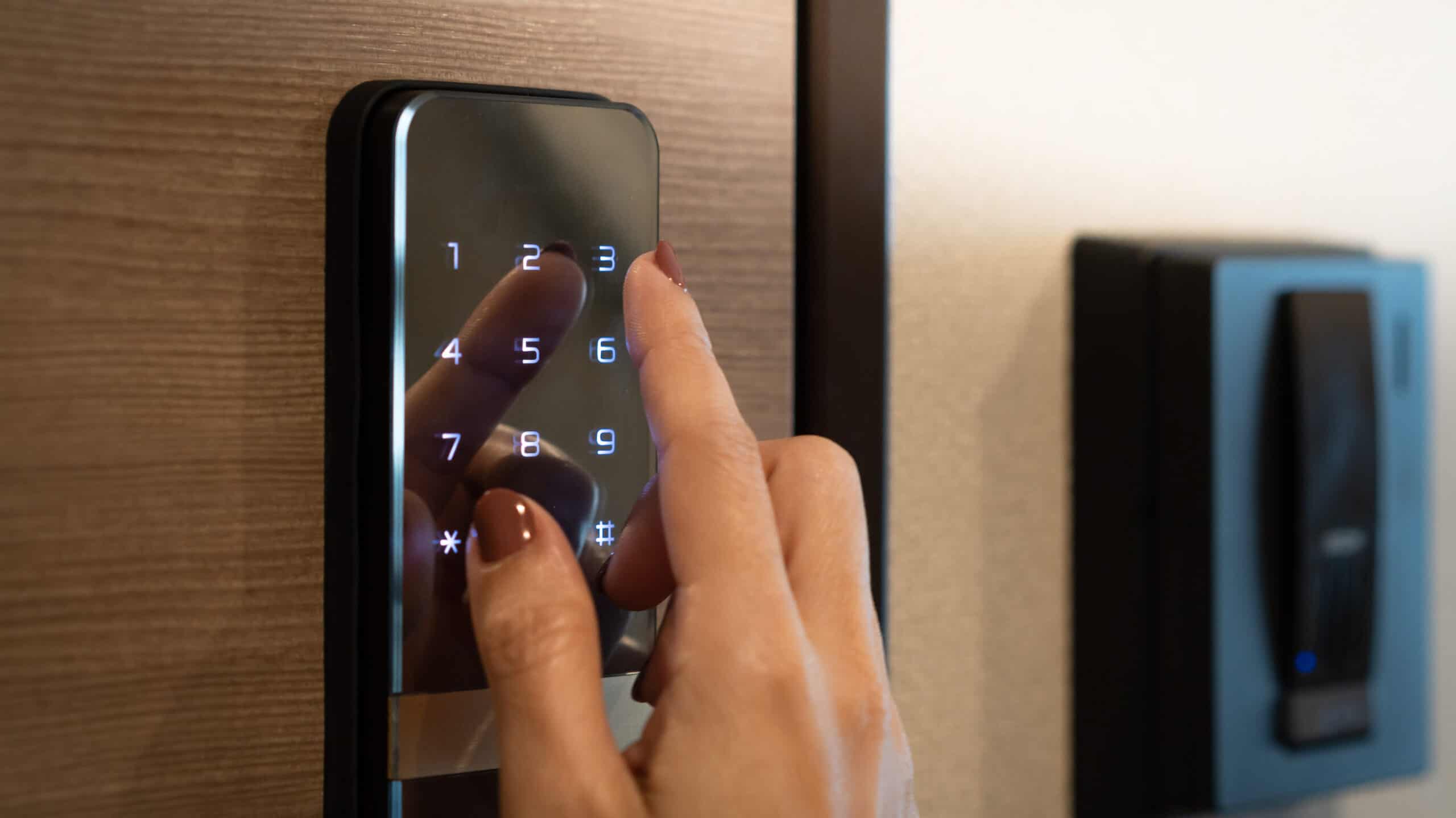
Multiple hardware options help facilitate contactless check-in and check-out, including smart locks and lock boxes. Lock boxes are a common option, but they are generally not automated and are best used as a back-up option for guest access. In contrast, smart locks automatically generate unique access codes for each reservation when connected to your calendar (PMS). If your PMS allows it, set up an automated pre-arrival email to populate with building and gate codes, so each guest has a frictionless time accessing the property.
Some PMS options come with a native Device Manager that enables you to manage all your smart lock devices from one dashboard and automate time-controlled access codes for each new booking, subject to pre-set conditions being met (such as the deposit being paid or the rental agreement signed). This helps you simplify and secure guest access regardless of how many smart locks you have in operation. It’s particularly useful if you manage contactless check-in remotely across multiple properties.
8. Invoicing and accounting
If you’re a hosting professional, you probably have to report your annual revenue and expenses.
The connection between your PMS and your accounting software can save you hours of copying and pasting accounting entries, as well as your invoices. If your PMS is not connected with the ERP (Enterprise Resource Planning) software you are using, check whether it generates revenue and invoice reports that you can customize to your needs and export in your preferred format.
Another important component of your business may be landlord billing. If you manage a property on behalf of an owner, you need to charge for the services you provide. Some PMS systems offer tools to automatically charge management fees, cleaning fees, or any other type of fee you want to deduct from booking revenue before sending it to the owner.
To further reduce manual workloads, ensure your solution lets you configure automated charges from a wide range of percentage-based and fixed price options (including or excluding commissions, promotions, guest extras, or refunds). Once configured, your PMS should be able to instantly re-calculate any charge the moment a booking value changes. By doing so, monthly statements to owners stay accurate and compliant without any extra manual effort on your end.
Finally, you need to be able to automatically charge recurring items such as city tax or optional breakfast on your guests’ reservations to generate a clear invoice.
9. Revenue management and smart pricing
Originally developed in the airline industry, revenue management is now widely used in hospitality. From international hotel chains to independent accommodation providers, optimizing room revenue through dynamic pricing has become common practice.
So, how does automated pricing work? Typically, pricing software uses algorithms to analyze real-time data such as local market events, trends, demand signals, inventory levels, and competitor pricing. This data, along with your own set of rules and/or goals, is used to suggest the best rate for each room or unit. When connected to your PMS and/or Channel Manager, your rates are then automatically updated across your distribution channels, saving you stacks of time.
These tools are highly useful, especially when operating multiple properties in different markets. However, it’s also essential to use your own knowledge of the local market to inform the smartest decisions for your pricing. Learn more by downloading our pricing strategy white paper.
10. Guest relations
The host-guest relationship is not meant to be fully automated. After all, one of the reasons you automated the points above is so you can spend more time on guest service.
However, you may not want to be available 24/7 to respond to requests and questions when you have a full-time job, other occupations, and a desire to sleep at night!
Thus, automating access to all relevant information on what’s available in your accommodation, as well as in the surrounding area, is beneficial for:
- Customer satisfaction – guests will get quick answers to their questions
- Generating extra income – communicate, at the right time, the additional products and services that guests can book during their stay
Automating the relationship with your vacation rental guests starts with all the automated emails you send them, as discussed in section 3 (Guest communication).
To achieve 24/7 responsiveness, you can also leverage the power of AI. For example, eviivo Concierge™ saves endless interruptions – and countless hours – by providing AI-powered responses to incoming website inquiries.
However you prefer to respond to guest requests, you’ll want a unified inbox, so that you can view and respond to messages from different channels in one place. Some options generate AI-powered suggested replies that you can review before sending. This helps speed up responses while keeping you in control.
Finally, consider automating the sending of a satisfaction questionnaire while your guest is staying at your vacation rental. This is often a valuable tool in identifying dissatisfied customers and gives you the opportunity to rectify any issues or questions before they leave. If all goes well and guests are fully satisfied with their stay, why not encourage them to share their experience online?
10 Tools for Short-Term Rental Automation
Key Takeaways
- Automating key tasks across your short-term rental business allows you to operate more efficiently and frees up time to focus on delivering exceptional guest experiences.
- Use a channel manager to automatically sync your booking calendars and keep your photos, descriptions, rates and offers up-to-date across all OTAs. This helps you eliminate overbookings and present your accommodation consistently across channels.
- Automating payment collection helps you simplify and secure a critical daily process for your vacation rental. Payment management software allows you to automate a wide range of payment types.
- Automating elements of the guest check-in and check-out process helps facilitate contactless arrivals and departures at your vacation rental.
- Connect your PMS and your accounting software to save hours on your revenue and expense reports. Automate owner & guest charges to generate clear invoices and ensure you accurately charge for the services you provide.
- Automation simplifies your revenue management. Automate your vacation rental promotions to drive early and repeat bookings, and consider using pricing automation to keep your room rates optimized.
- Give your guests access to the info they need more easily by automating elements of your communications and guest relations, including emails and guest chat services.
- To keep your operations as streamlined as possible, consider investing in an all-in-one booking and property management platform that allows you to access a range of automation tools from one place.
- Discover the full automation capabilities of eviivo Suite by booking a free demo below.
 You might also be interested in…